I've been using Paper to explore design ideas for side projects as well as to build presentations. One minor annoyance with Paper was the artboard alignment, especially when an agent worked on a chunk of frames at once and when you're actively working on the same canvas. Not much of a problem if you let the agent finish the entire job.
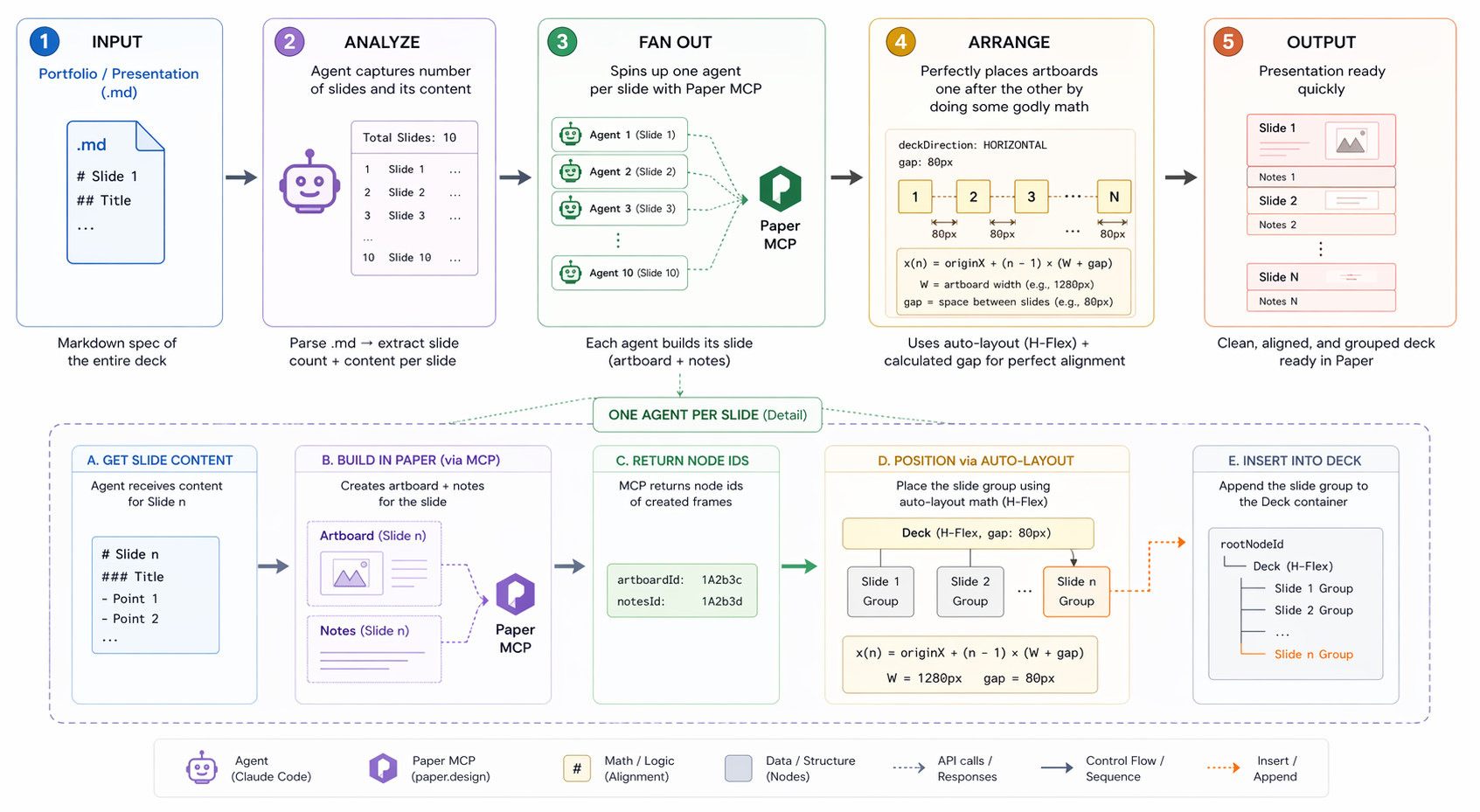
It gets annoying when you're working on a presentation, say your portfolio. I wanted to build a skill that does something like this:
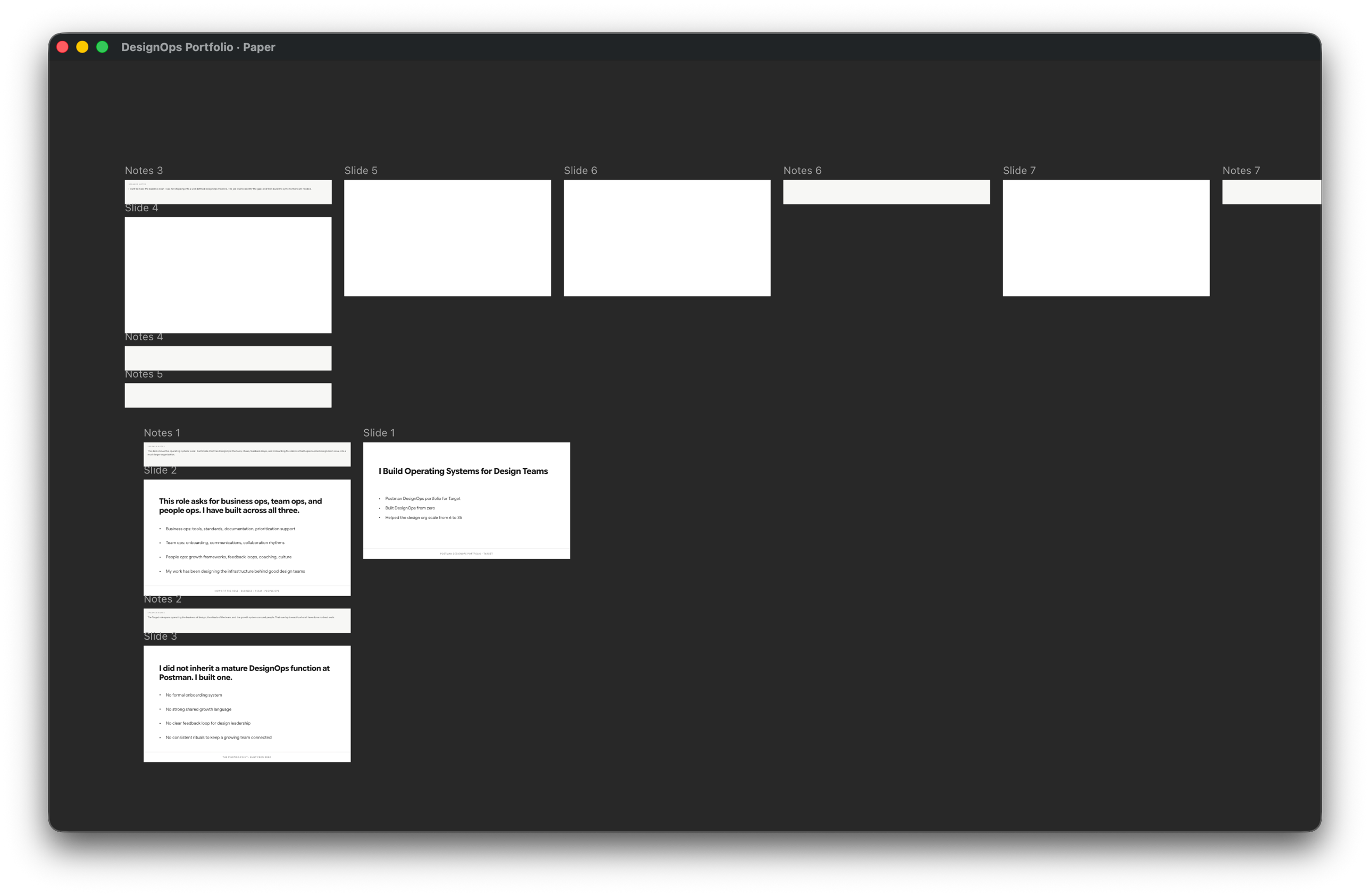
Complicated enough? Well, guess what? It didn't work. See:
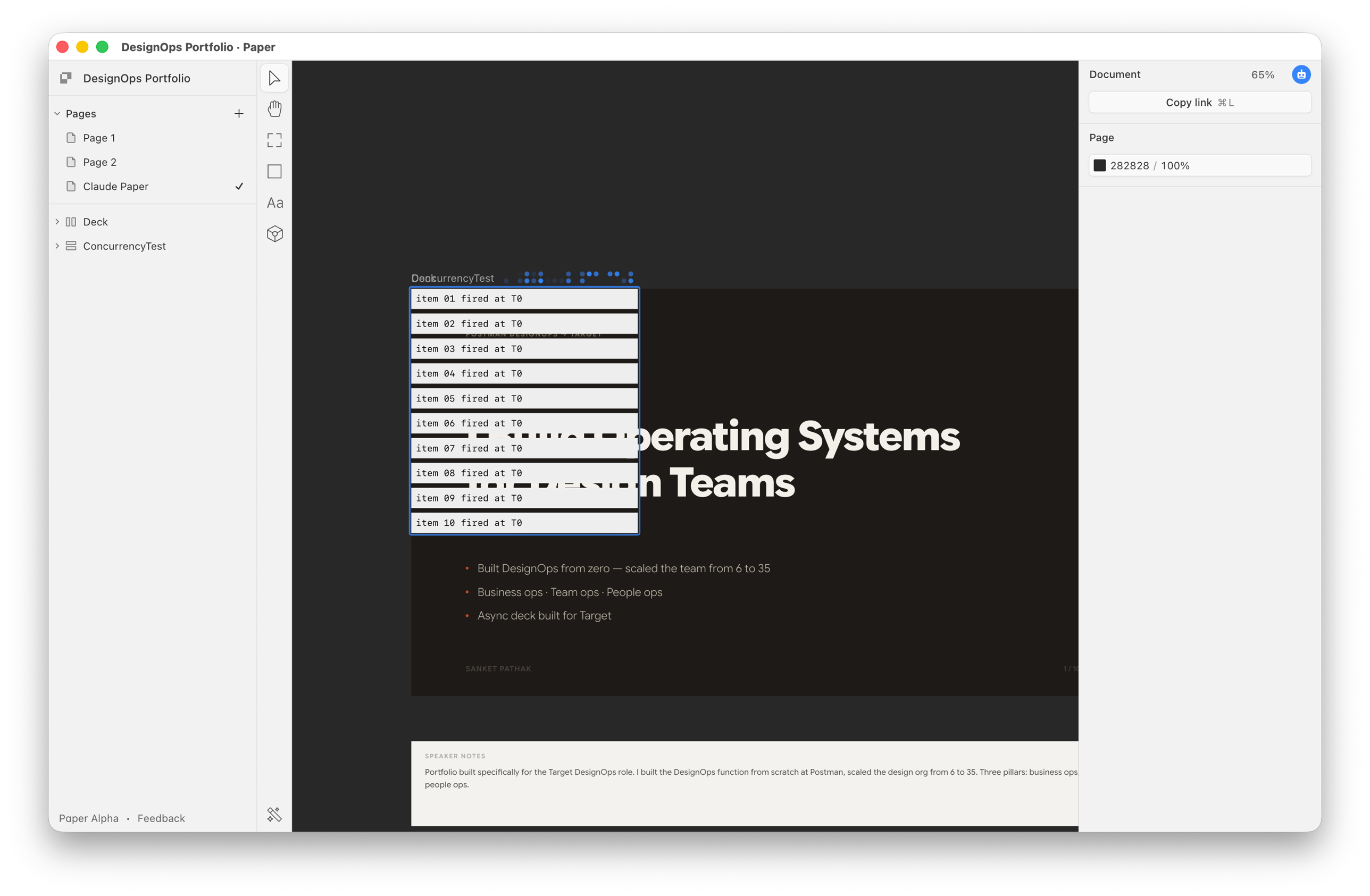
As per my agent's "deep research," Paper MCP serialises the node (frame) creation. So, even if you spawn a team of agents, the MCP will still ask them to form a queue. Plus, I learnt that 10 agents would mean at least 3–4x additional token spend. In this economy!
So, after this detour and distraction and much procrastination, I went back to my actual problem of frames not aligning.
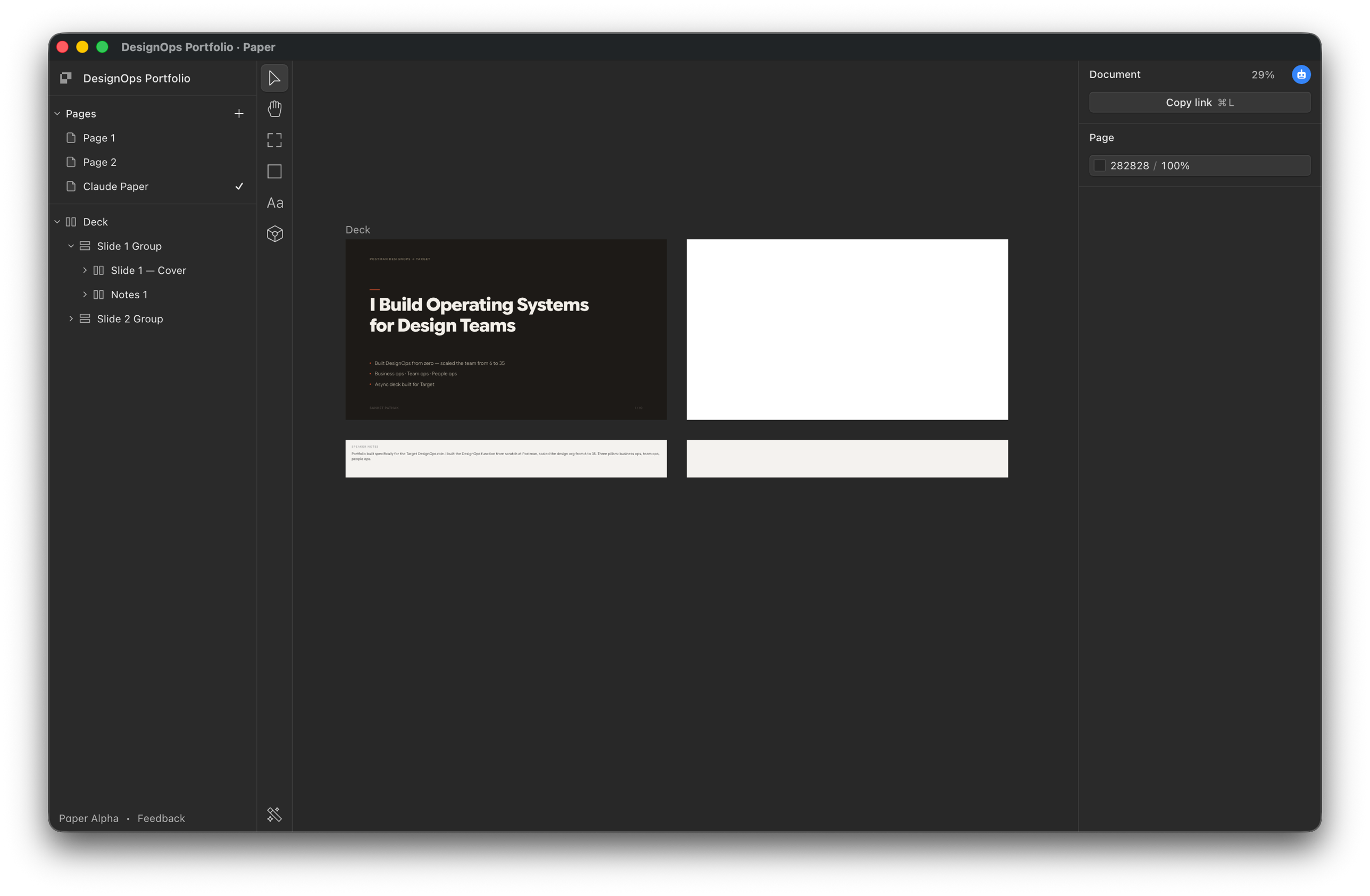
Turns out, you don't need to do godly math with x-y coordinates. After all the complicated ideas that the smartest agent led me through, it struck me that: LET'S USE AUTO-LAYOUT!
So, from a 340-line SOP skill, I wrote down an 80-line skill that now uses auto-layout and some of my presentation-theme elements to place artboards like this:
It's been two years with these smart-ass agents and they still start from complex-first if you let them loose. Read your code skills, fellas!
The stack
- Agent: Claude Code, Opus 4.7 (MAD token eater by the way!)
- Tool: Paper (
paper.design) via MCP,skill-creatorskill - Brain
Same troubles? Get the skill →